




A website redesign is exciting. A fresh look, a modern platform, clearer messaging, new features. It feels like moving into a brand-new office.
But redesigns also carry real risk. Done poorly, a new website can lose years of search rankings overnight, break lead forms, confuse loyal customers and blow past budgets and deadlines. We have seen businesses launch a gorgeous new website and then watch their enquiries drop sharply because important pages disappeared, redirects were forgotten, or tracking stopped working.
This playbook is designed to help you get the excitement without the pain. It walks through a proven redesign process, from deciding whether to redesign at all to the critical first ninety days after launch.
Should You Redesign, Refresh or Optimize?
Not every underperforming website needs a full redesign. Before committing, consider three options:
- Optimize: Keep the current site and make targeted improvements to speed, content, calls to action and SEO. Best when the foundation is solid but performance is lagging.
- Refresh: Update the visual design, rewrite key pages and improve user experience on the same platform. Best when the platform works but the site looks dated or the message has changed.
- Redesign or rebuild: Start over with a new structure, design and sometimes a new platform. Best when the site is technically outdated, hard to manage, insecure, or no longer reflects the business.
Strong signals that a full redesign is needed:
- Your business model, services or brand have changed significantly
- The platform is outdated, unsupported or insecure
- Updating content requires a developer for simple changes
- The site performs poorly on mobile
- You need functionality the current platform cannot support
- Conversion rates are poor despite good traffic
Phase One: Discovery and Goals
Every successful redesign starts with clarity about why you are doing it and what success looks like.
Define measurable goals, such as:
- Increase qualified enquiries from the website
- Improve conversion rates on key service pages
- Reduce time staff spend answering repetitive questions
- Improve Core Web Vitals scores
- Make content updates possible without developer help
- Support a new service line or market
Then gather input from stakeholders: leadership, sales, customer service, marketing and, most importantly, customers. Sales and service teams know the questions customers ask every day. Those questions should shape your content.
Phase Two: Audit What You Already Have
Before you build something new, understand what the current site is doing well. This step is where many redesigns go wrong.
A thorough audit includes:
- Content inventory: Every page, blog post, PDF and media file on the current site.
- Traffic analysis: Which pages bring the most visitors, and from where?
- SEO analysis: Which pages rank for valuable keywords and attract backlinks from other websites?
- Conversion analysis: Which pages generate leads or sales?
- Technical audit: Speed, mobile usability, broken links, security and accessibility.
- Integrations: Forms, CRMs, booking tools, payment systems, chat tools and tracking scripts.
Your old website may look outdated, but some of its pages are probably quietly doing a lot of work. Find them before you delete them.
Phase Three: Strategy, Audience and Messaging
With goals and data in hand, define who the site is for and what it needs to say.
- Audience segments: Who are your primary and secondary visitors, and what do they need?
- Customer journeys: What steps do people take from first visit to becoming a customer?
- Value proposition: In one sentence, why should someone choose you?
- Key messages: The three to five things every visitor should understand.
- Tone of voice: How should your brand sound?
This is also the right moment to plan for AI-era discovery. Structure content so it directly answers the questions people ask, both in search engines and in AI assistants.
Phase Four: Information Architecture and Sitemap
Information architecture is how your content is organized and labelled. It determines how easily visitors find what they need.
Create a new sitemap that:
- Uses clear, customer-friendly labels
- Keeps navigation shallow, so important content is reachable in a few clicks
- Groups services logically
- Gives every important topic its own dedicated page
- Retains or consolidates high-performing content from the old site
Then create a URL mapping document: a spreadsheet listing every old URL and the new URL it will redirect to. This document is one of the most important deliverables in the entire project.
Phase Five: Wireframes and Design
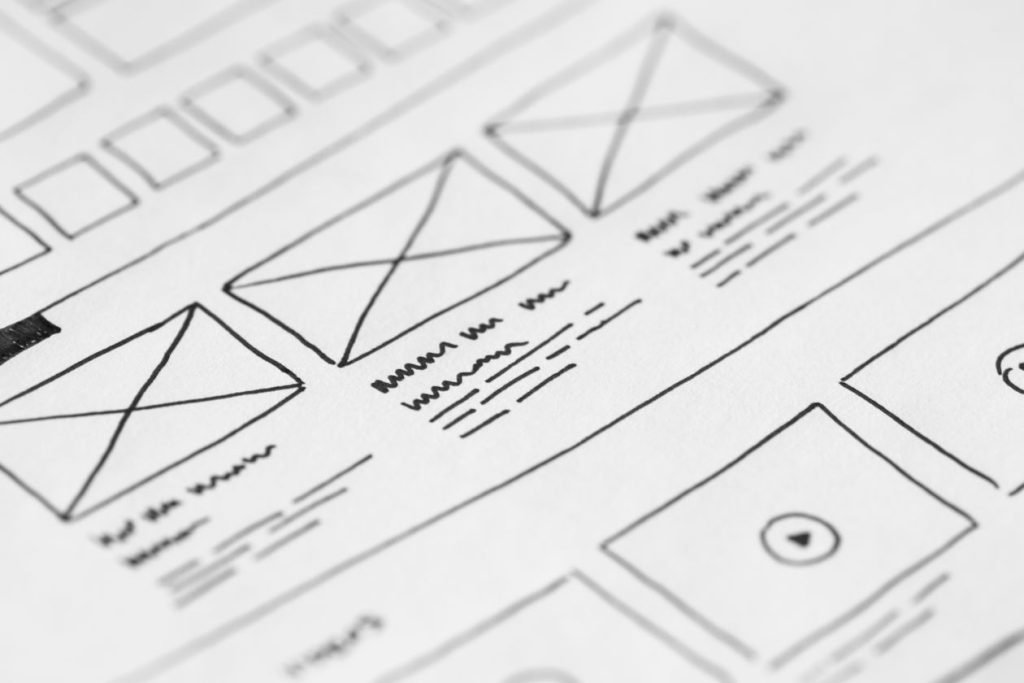
Wireframes are simple layouts that show where content and functionality will go on each page, without visual design. They let you focus on structure and user flow before getting distracted by colours and fonts.
Once wireframes are approved, designers create the visual design, including:
- Typography, colour palette and spacing system
- Imagery and iconography style
- Component designs, such as buttons, cards, forms and navigation
- Responsive layouts for desktop, tablet and mobile
- Accessibility considerations, such as colour contrast and focus states
A design system, which is a library of reusable components, makes the site more consistent and easier to extend in the future.
Phase Six: Content Creation
Content is often the biggest bottleneck in a redesign. Designers and developers finish, then the project waits weeks for copy, photos and approvals.
Avoid this by:
- Starting content work early, in parallel with design
- Assigning clear owners and deadlines for each page
- Writing for your audience, with clear headlines and scannable structure
- Updating or consolidating existing content rather than starting from zero
- Investing in real photography where possible
- Including FAQs that answer real customer questions
Phase Seven: Development and Integrations
During development, the design becomes a working website. This phase includes:
- Building templates and components
- Configuring the content management system
- Migrating content from the old site
- Connecting forms, CRMs, email platforms, booking systems and payment gateways
- Implementing SEO elements like titles, meta descriptions, schema markup and XML sitemaps
- Setting up analytics and conversion tracking
- Optimizing performance and security
Build on a staging site, a private copy where you can review everything before it goes live.
Phase Eight: Testing and Quality Assurance
Before launch, test thoroughly:
- Functionality: Every form, button, link and integration
- Devices and browsers: Desktop, tablet and mobile across major browsers
- Performance: Core Web Vitals and load times
- Accessibility: Keyboard navigation, screen reader basics and contrast
- SEO: Titles, descriptions, headings, canonical tags, robots settings and redirects
- Content: Spelling, accuracy, broken images and placeholder text
- Tracking: Confirm analytics and conversion events fire correctly
One critical check: make sure the staging site’s “discourage search engines” setting is turned off at launch. Forgetting this can block your new site from search results.
Phase Nine: Launch Day
Plan launch for a lower-traffic period and avoid Fridays, so your team is available if issues arise.
Launch checklist highlights:
- Take a full backup of the old website
- Deploy the new site
- Implement all 301 redirects from the URL mapping document
- Test redirects for top pages
- Submit the new XML sitemap in Google Search Console
- Verify analytics and conversion tracking
- Test all forms with real submissions
- Check HTTPS and fix any mixed-content warnings
- Announce the new site to customers and followers
Phase Ten: The First Ninety Days
Launch is not the end. The weeks after launch are when you protect your investment.
Monitor:
- Search Console: Crawl errors, indexing issues and 404 pages
- Rankings and organic traffic: Some fluctuation is normal; sustained drops need investigation
- Conversions: Are leads and sales at or above previous levels?
- User behaviour: Heatmaps and session recordings reveal friction
- Feedback: Ask customers and staff what they think
Then iterate. Improve underperforming pages, add new content and keep testing calls to action.
Common Redesign Mistakes
- Designing based on personal taste instead of customer needs and data
- Deleting high-performing pages without redirects
- Forgetting 301 redirects entirely
- Leaving content until the end
- Changing too many things at once without measuring impact
- Losing tracking during migration
- Launching without testing forms
- Treating launch as the finish line
Key Takeaways
- Decide whether you need to optimize, refresh or fully redesign.
- Set measurable goals and gather input from customers and frontline staff.
- Audit traffic, rankings, backlinks and conversions before changing anything.
- Create a URL mapping document and implement 301 redirects.
- Start content early and treat it as a priority.
- Test functionality, performance, accessibility, SEO and tracking before launch.
- Monitor closely for ninety days after launch and keep improving.
How Netxeno Can Help
Netxeno runs website redesigns end to end across all three pillars: Build for strategy, design and development; Intelligence for AI assistants, automation and smart integrations; and Growth for SEO-safe migrations, content and post-launch optimization. Our process is designed to protect what already works while building something meaningfully better.
Planning a redesign? Let us help you do it right. Start at netxeno.com/.